
Private by default
Meals and readings stay on your device, or in your private iCloud account if you turn on sync. Photos you send for analysis are stored only temporarily.
YOUR MEALS. YOUR GLUCOSE.
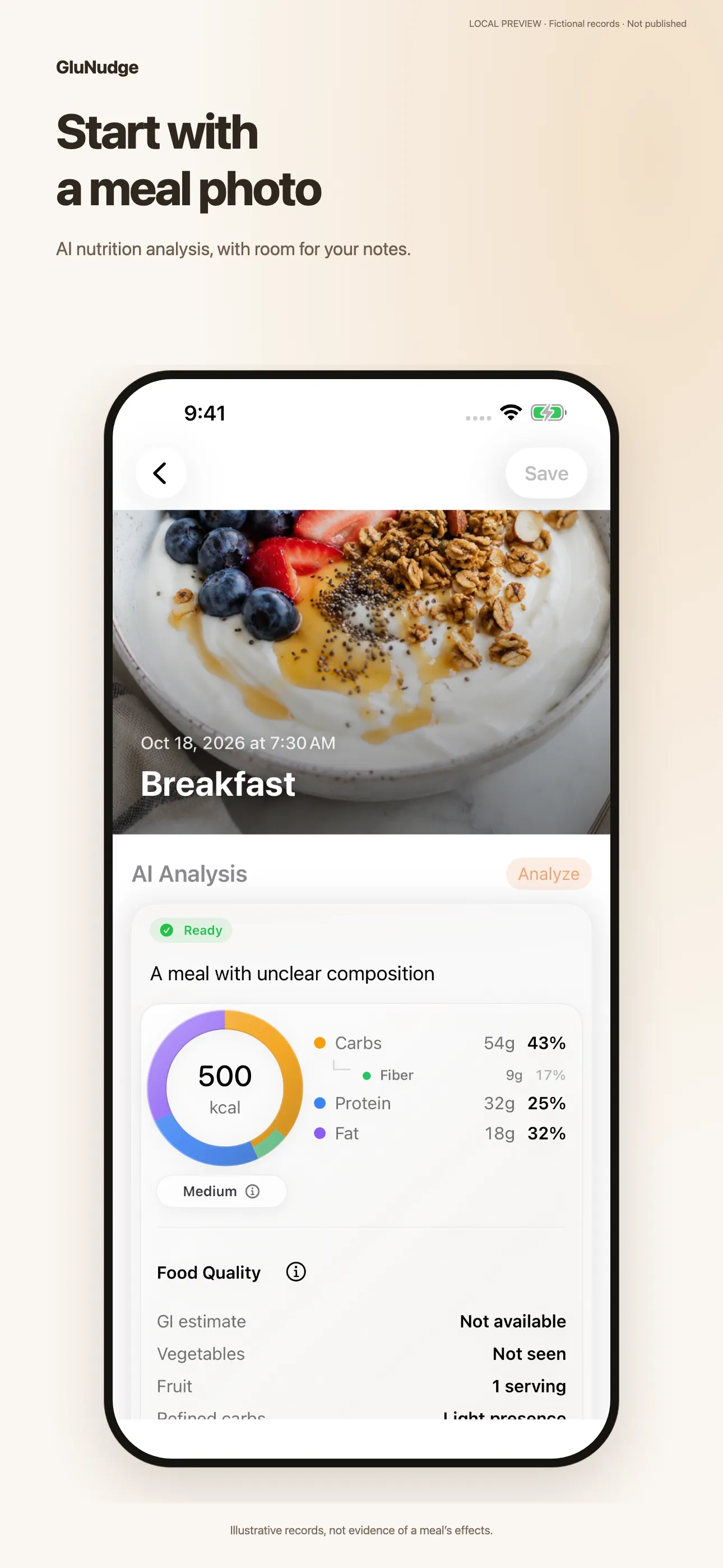
Snap a photo, let AI analyze nutrition, and compare post-meal glucose to find what works for you.
Add glucose readings manually, or read existing entries from Apple Health.
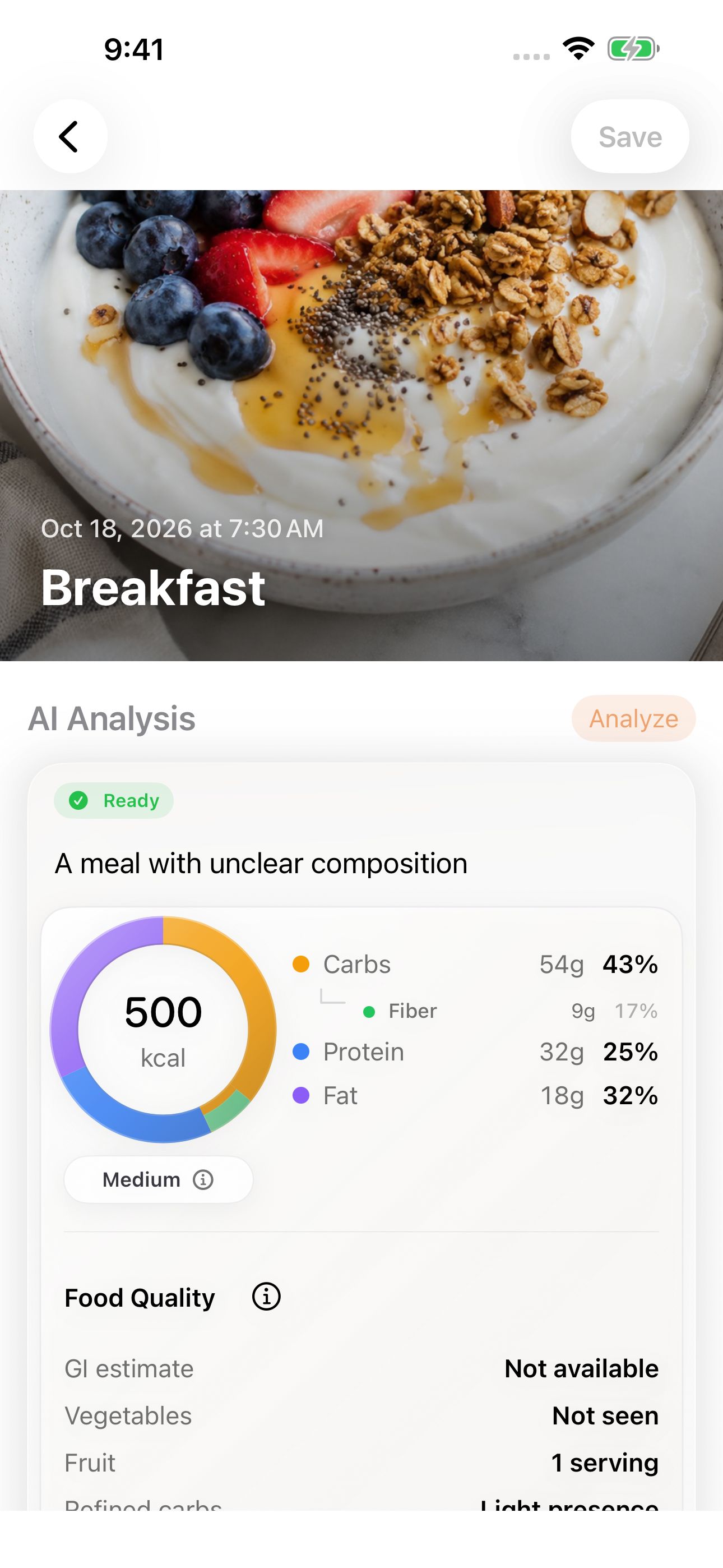
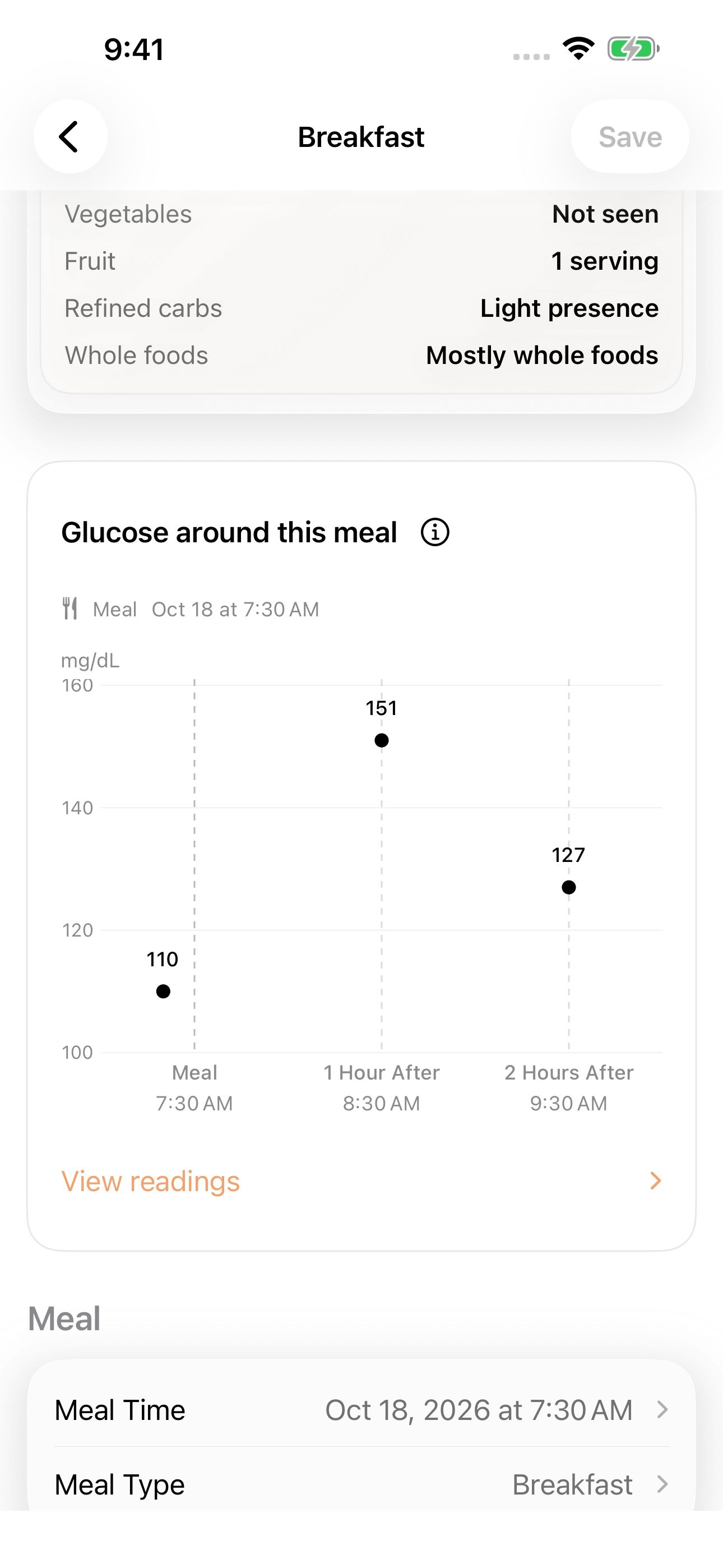
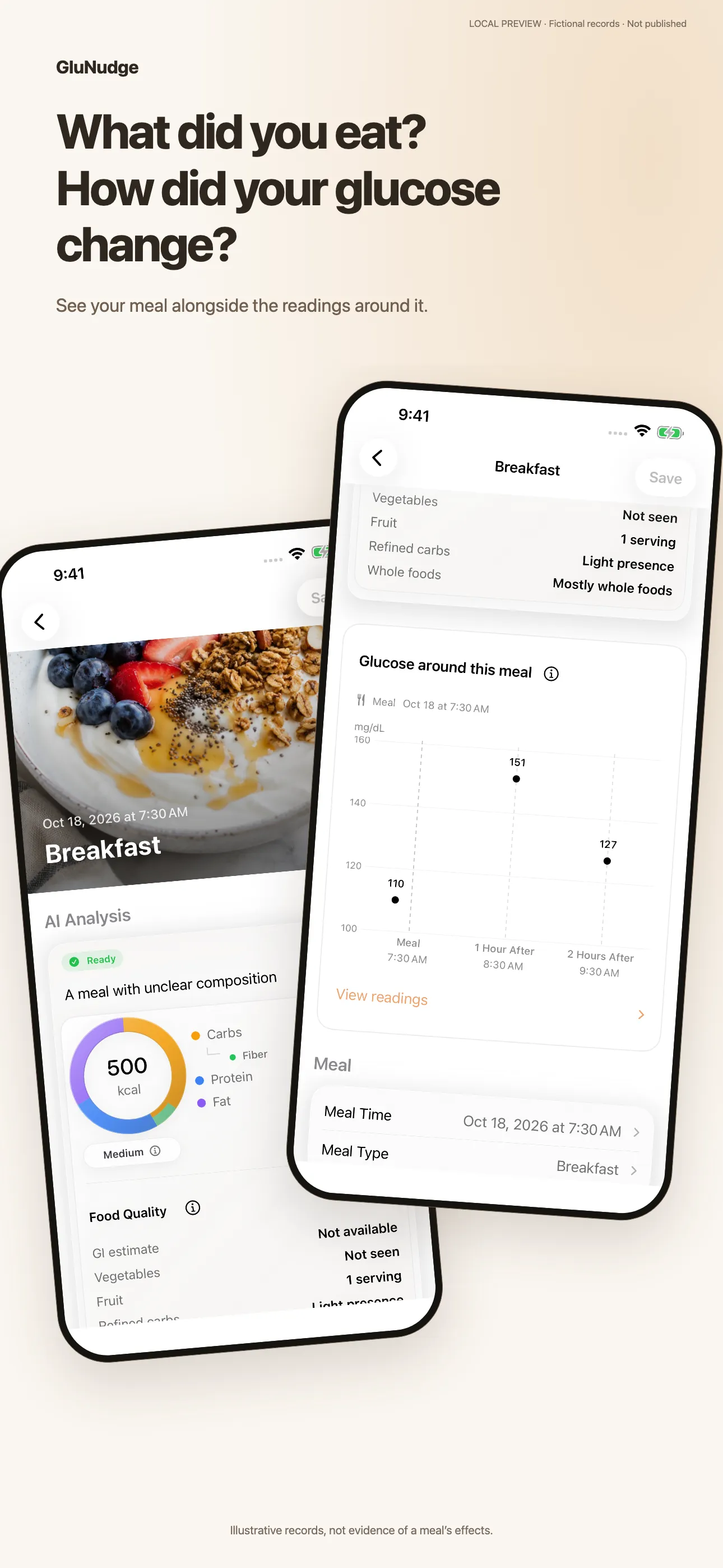
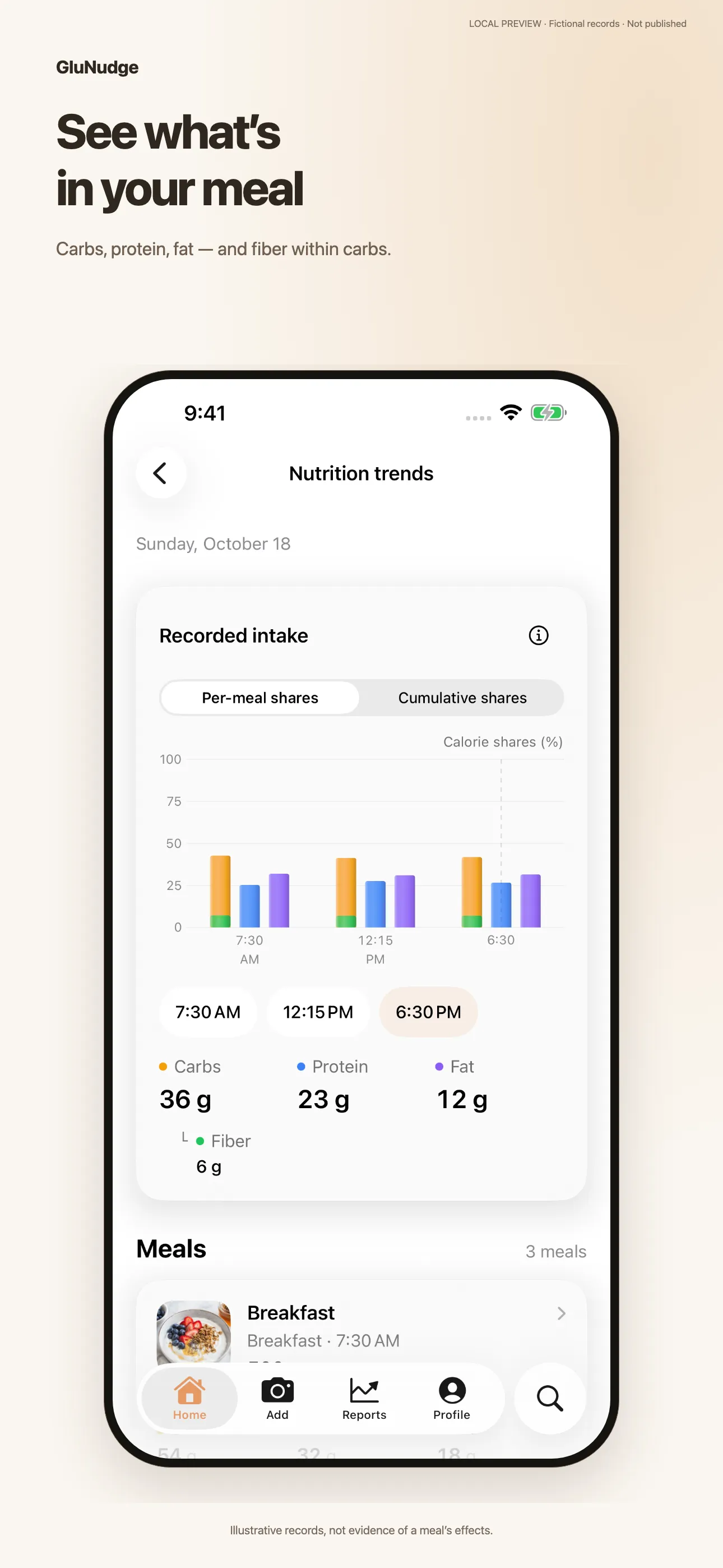
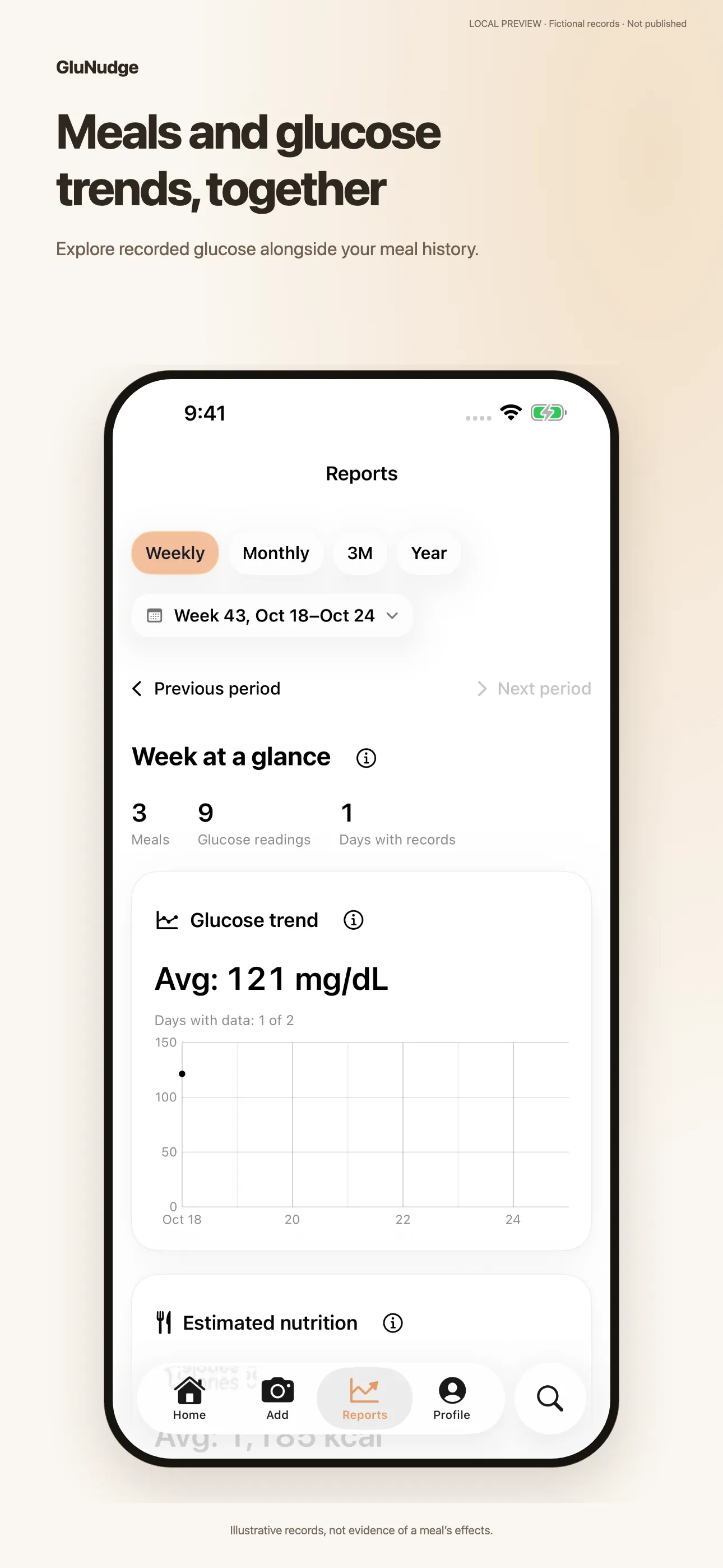
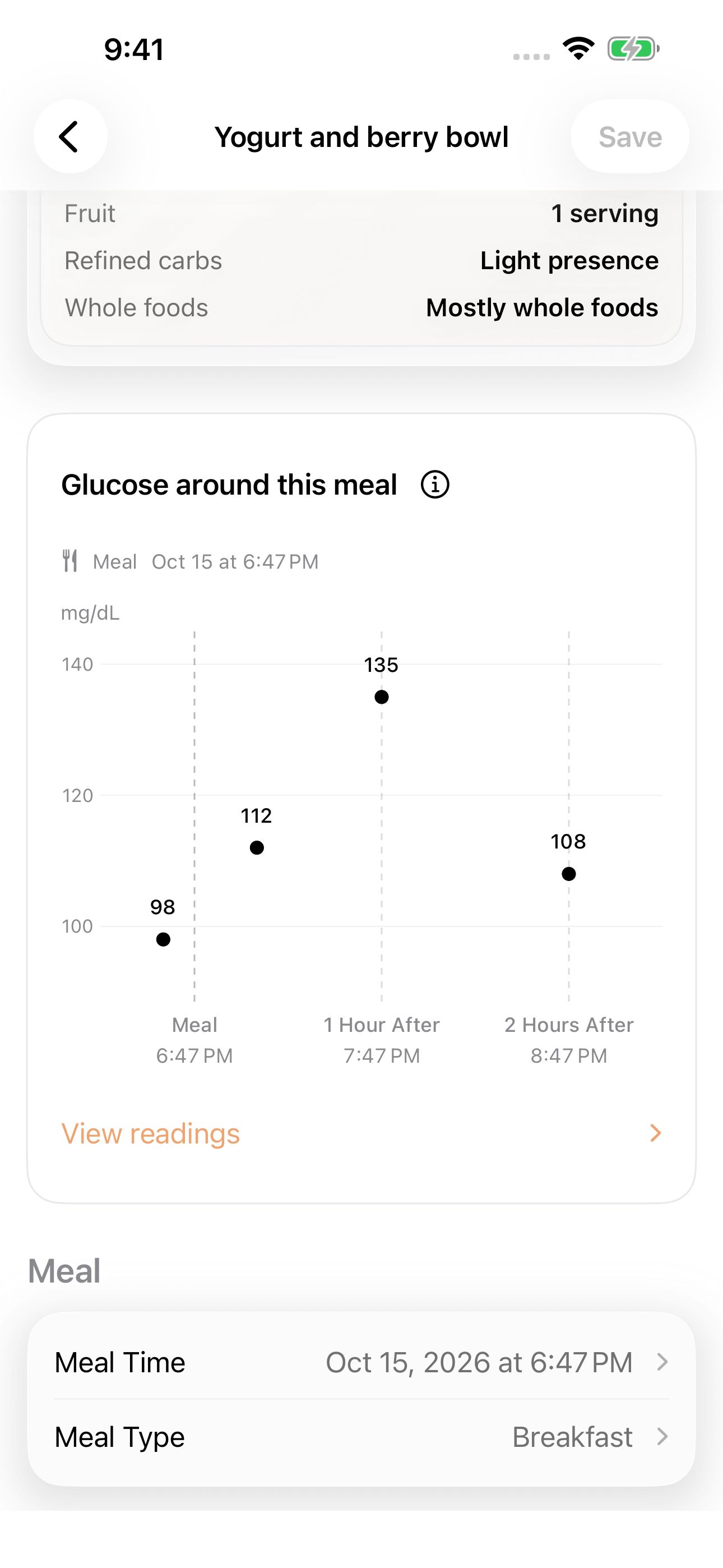
Illustrative records, not evidence of a meal’s effects.
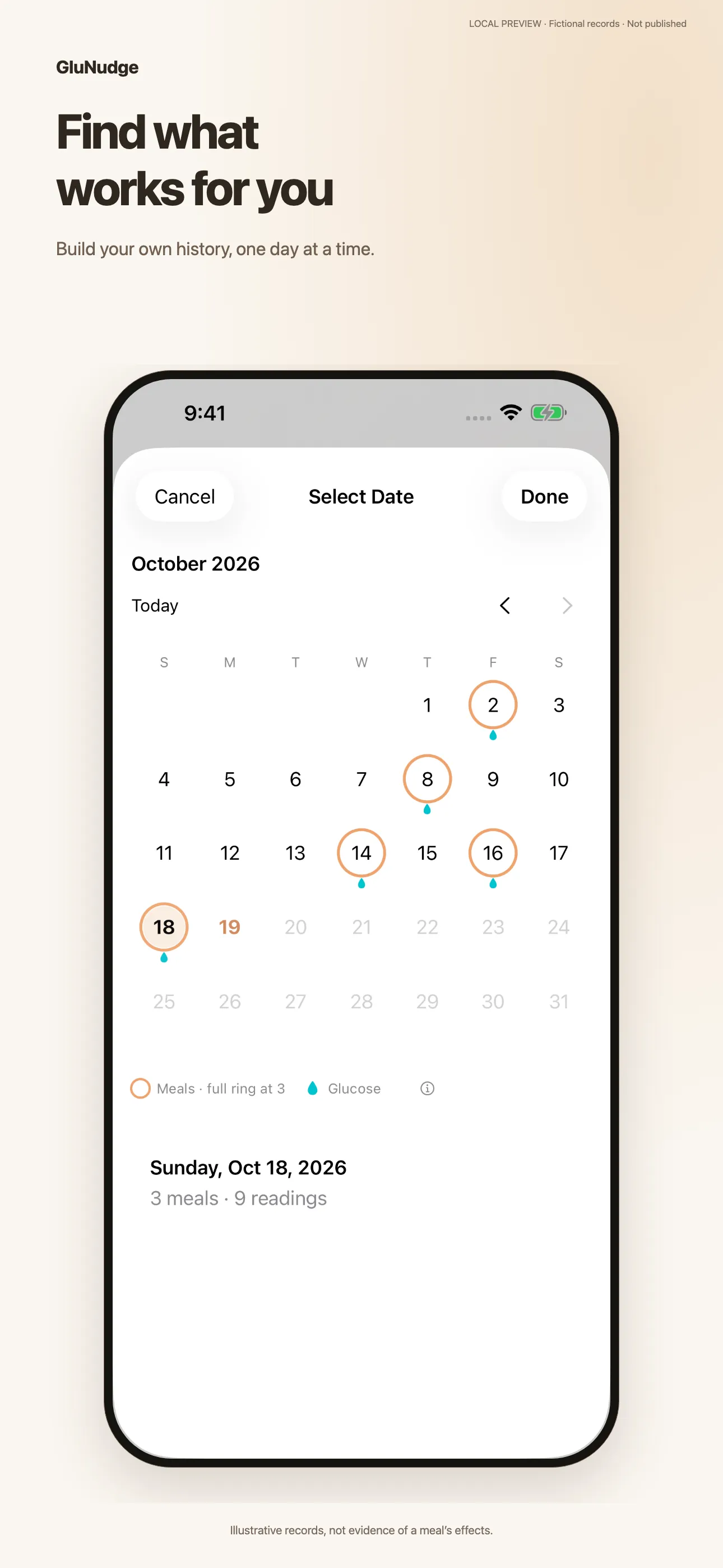
Keep meals, nutrition estimates, and recorded readings together. Revisit different days to see your own history, without connecting a glucose device.
Enter a glucose reading you already have and the time it was taken. GluNudge suggests a meal to link it to, which you can change anytime.
When readings are available around a meal, see them on a chart with the meal time marked. This is a view of saved records, not a live feed.
With your permission, GluNudge can also read existing glucose entries from Apple Health as an additional source.
Browse saved meals and readings across days, weeks, and months. Gaps remain gaps: days without entries stay empty.
Recorded readings, not predictions. GluNudge does not measure, estimate, or predict glucose.
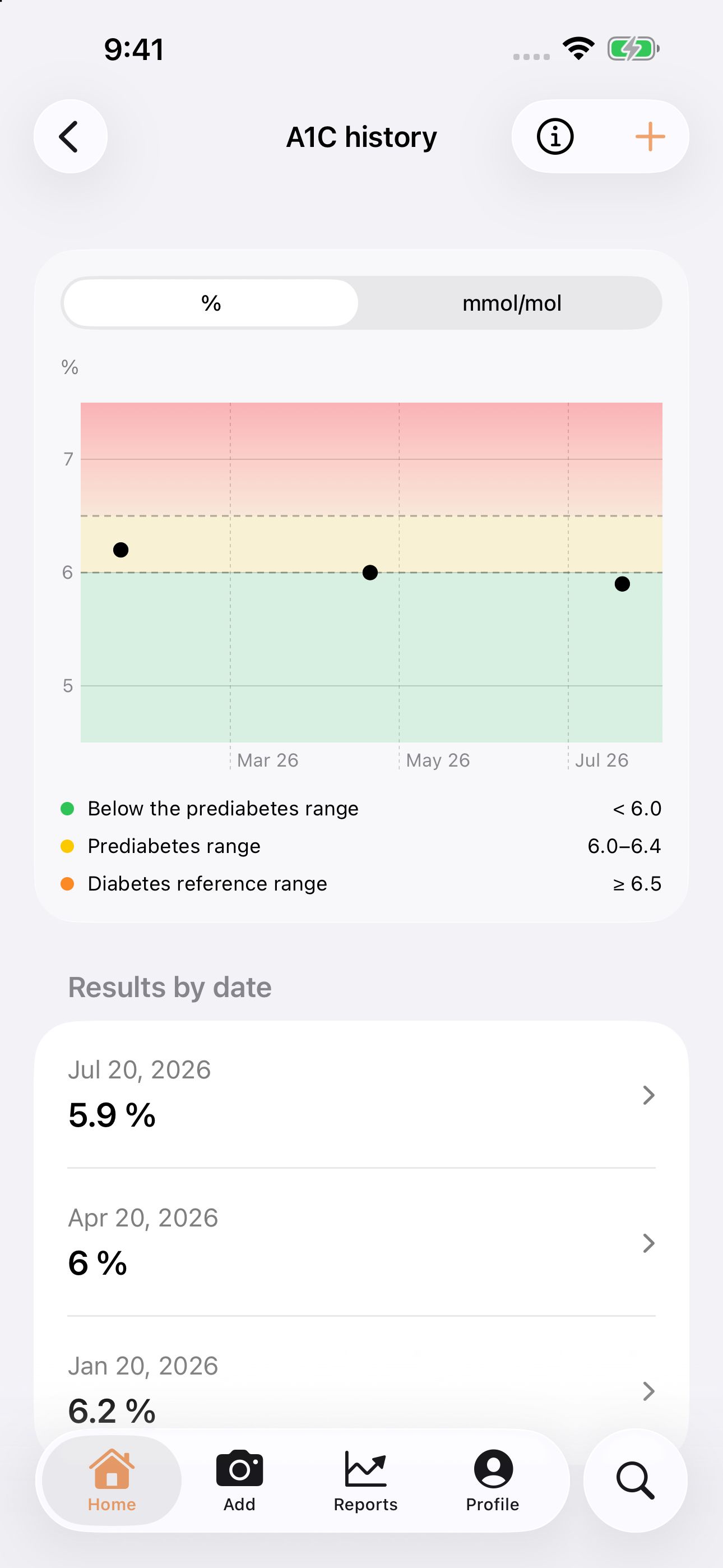
A1C · COMING IN 1.0.9
Keep your lab results alongside your meal and glucose journal. Add each result once, then look back across test dates.
Enter A1C in % or mmol/mol, with the test date and an optional note.
View your saved results on a chart and in a dated list. Edit or delete a record when you need to.
Turn on iCloud sync to keep A1C records across devices using the same iCloud and GluNudge accounts.
Chart colors show reference ranges, not a diagnosis or a personal treatment goal.
Your meal history stays on your device unless you turn on iCloud sync. Photos leave your device only when you ask for AI analysis or a Meal Recap, and every nutrition result is an estimate.
Meals and readings stay on your device, or in your private iCloud account if you turn on sync. Photos you send for analysis are stored only temporarily.
GluNudge helps you understand everyday meals. It does not provide diagnosis, treatment, or medical guidance.
GluNudge shows readings you enter manually, with optional access to existing Apple Health entries. It does not measure, estimate, or predict glucose.
Can’t find your answer? Contact support
GluNudge supports everyday meal management through logging, nutrition estimates, and reviewing records. It does not prescribe meal plans, explain glucose changes, or provide medical advice, diagnosis, or treatment.
GluNudge is on the App Store in the United States, Canada, Mexico, Brazil, Australia, New Zealand, Japan, South Korea, Taiwan, Hong Kong, Singapore, Malaysia, the Philippines, Thailand, Indonesia, and India. It is not currently available in the European Union, the United Kingdom, Switzerland, or mainland China. The app is available in English, Spanish, French, Simplified Chinese, and Traditional Chinese.
GluNudge is free to download, and so is meal and glucose logging. GluNudge Plus is an optional subscription that adds longer-range glucose reports and AI meal analysis for every new meal. Prices and any trial offers are shown in the App Store before you subscribe, and you can cancel anytime.
The estimates are best-effort, based on what is visible in the meal photo and reasonable assumptions about ingredients and portions.
No. GluNudge organizes the glucose readings you record alongside your meals. It does not measure, estimate, or predict glucose.
You manually enter readings you already have, along with the time they were taken. With your permission, GluNudge can also read existing entries from Apple Health as an optional source. You can change which meal a reading is linked to.
No. GluNudge does not connect to CGM devices or automatically sync sensor data. No real-time glucose monitoring is provided. Optional access to existing Apple Health entries is not a CGM integration. You can use the app by photographing meals and manually entering readings you already have.
Your meal history and readings stay on your device by default. If you turn on iCloud sync, they are stored in your private iCloud account. Meal photos are sent to GluNudge only when you request AI analysis or a Meal Recap, and are stored temporarily under our retention policy.
A1C is coming in version 1.0.9. Use % or mmol/mol, as shown on your lab report. These are different from the mg/dL or mmol/L units used for glucose. GluNudge keeps your original A1C value and unit; it does not calculate A1C from glucose readings.
A1C is coming in version 1.0.9. A1C records stay on your device by default. If you turn on iCloud sync, existing and new records sync through your private iCloud account, including edits and deletions. Use the same iCloud and GluNudge accounts on each device. A1C does not currently sync with Apple Health.
Free to download. Snap a meal, manually add an existing reading, and build a personal journal you can look back on over time.